Markdown Features
mdedit.ai supports a comprehensive set of markdown features to help you create rich, interactive documents.
Common tasks
- Preview Markdown instantly: Scratchpad (no login)
- Render Markdown in the browser: Markdown Viewer extension
- Render Markdown in VS Code/Cursor: VS Code extension
Core Markdown
Standard markdown syntax for basic text formatting and document structure.
- Basic Syntax - Headings, paragraphs, text formatting
- Lists - Ordered, unordered, and task lists
- Links and Images - Hyperlinks, images, and media
GitHub Flavored Markdown (GFM)
Extended markdown features from GitHub Flavored Markdown.
- Tables - Create structured data tables
- Code Blocks - Syntax-highlighted code with 60+ themes
Advanced Features
Powerful features for technical documentation and rich content.
- Math Equations - LaTeX/KaTeX mathematical notation
- Mermaid Diagrams - Flowcharts, sequence diagrams, and more
- Frontmatter - YAML/TOML metadata
Quick Examples
Text Formatting
**Bold text** and *italic text* and ~~strikethrough~~Bold text and italic text and strikethrough
Code Block
```javascript
function hello() {
  console.log("Hello, world!");
}
```
function hello() {
console.log("Hello, world!");
}Table
| Feature | Supported |
|---------|-----------|
| Tables  | ✅        |
| Math    | ✅        |
| Mermaid | ✅ || Feature | Supported |
|---|---|
| Tables | ✅ |
| Math | ✅ |
| Mermaid | ✅ |
Task List
- [x] Completed task
- [ ] Pending task- Completed task
- Pending task
Visual Editor Features
mdedit.ai combines the power of markdown with intuitive visual editing tools, making it easy to create rich documents without memorizing syntax.
Real-time Preview
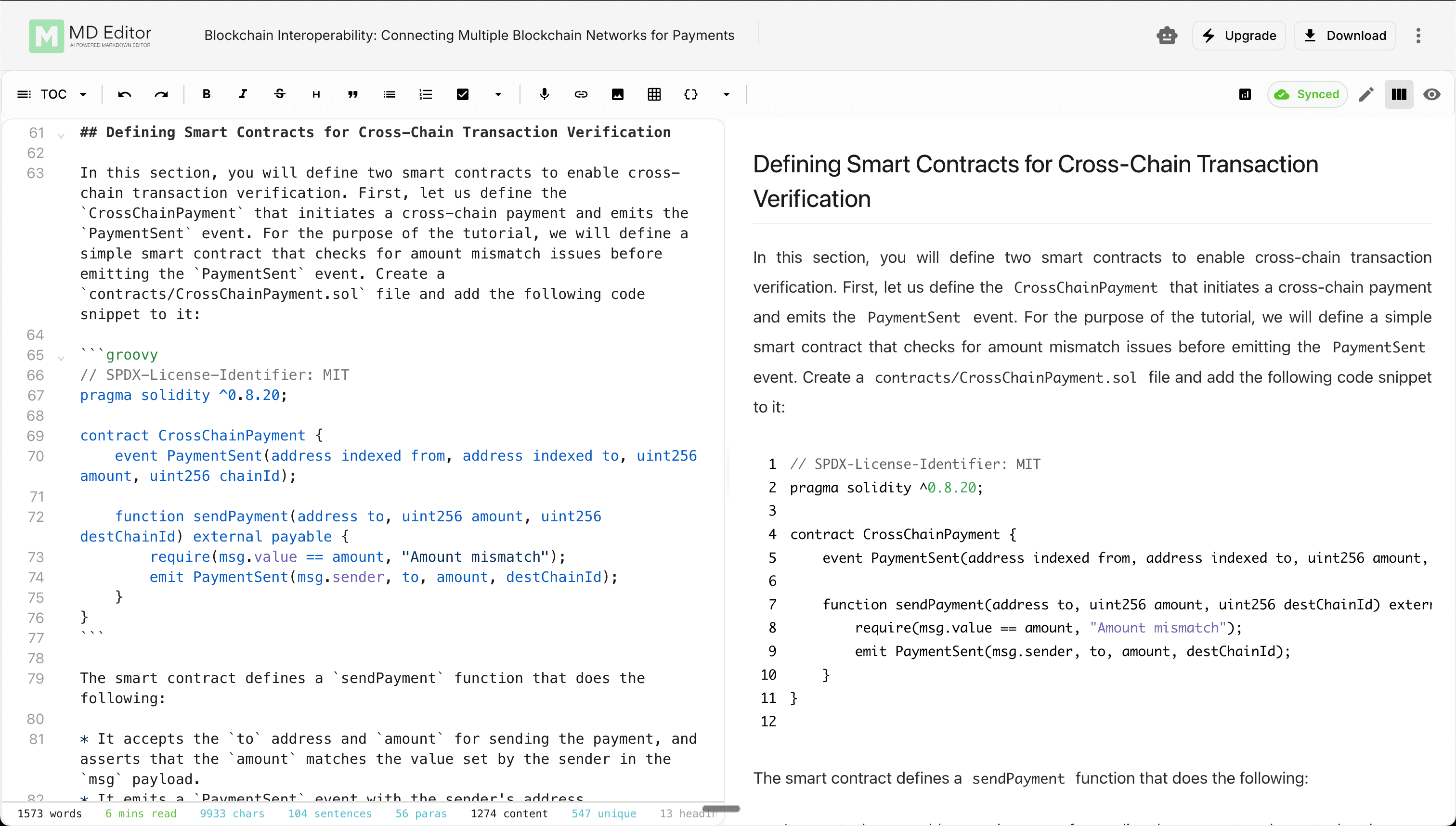
Work with a split-view editor that shows your markdown source and rendered preview side-by-side:
Context-Aware Tools
Many markdown features can be edited visually:
- Tables: Create and edit tables using a visual grid interface
- Images & Videos: Import media from multiple sources (local files, URLs, stock photos, AI generation)
- Frontmatter: Edit document metadata with form-based inputs
- Code Blocks: Convert to gists or generate screenshots with one click
Select any element in your document and access relevant editing tools through:
- Context menus that appear when you select content
- The toolbar with quick-access buttons for common actions
- Keyboard shortcuts for power users
This visual approach makes markdown accessible to beginners while maintaining the efficiency that experienced markdown users expect.
Next Steps
Explore the detailed documentation for each feature to learn more about what you can do with mdedit.ai.