Folders
Folders help you organize articles inside your workspace. They support nesting (folders inside folders) and work offline-first.
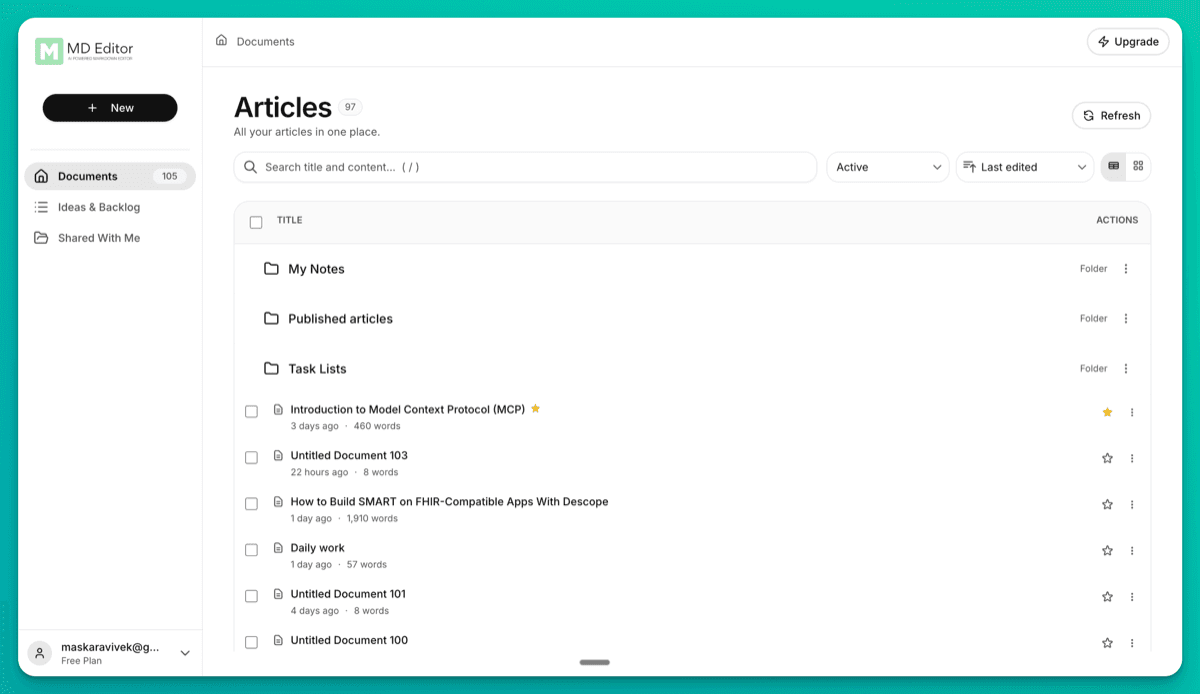
What folders are
- Organize articles into folders and subfolders (parent/child).
- Offline-first: creating folders and moving articles works without internet; changes sync when you reconnect.
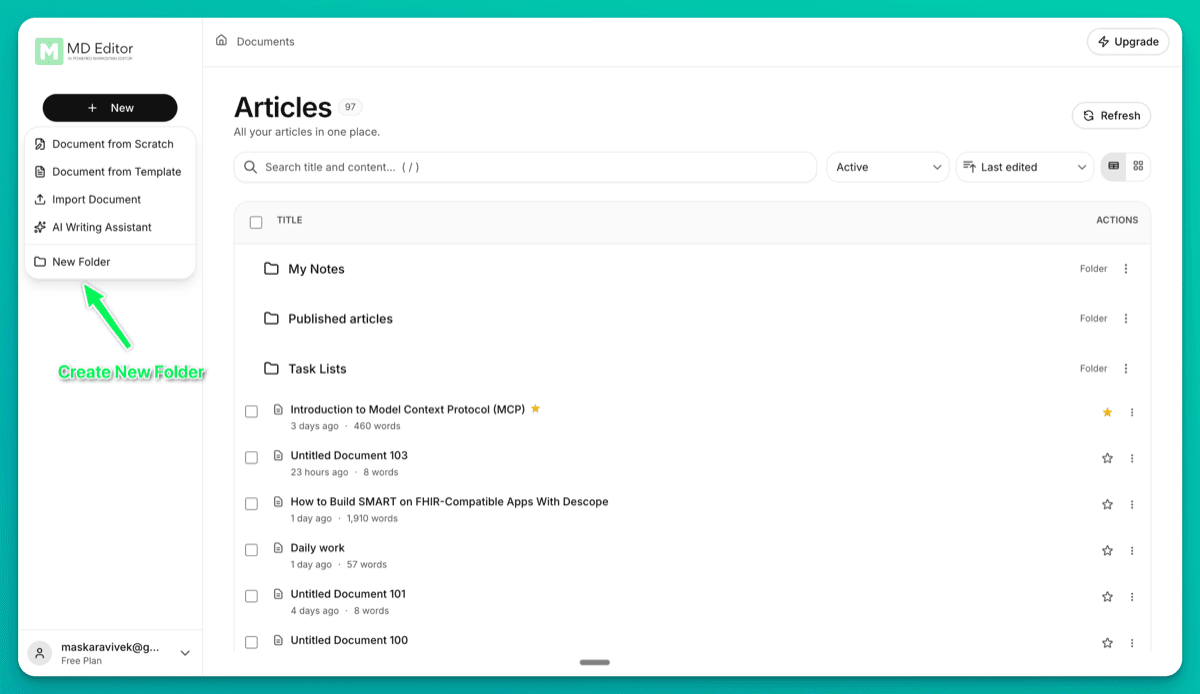
Create a folder
- Navigate to the destination folder (or stay in Documents root).
- Click New → New Folder.
- In the Create New Folder dialog, enter a name and click Create Folder.
Navigate folders
- Folders appear in the article list.
- Use the breadcrumbs in the dashboard header to go back to Documents or to parent folders.
Move articles
Move a single article
- Open the article actions menu.
- Click Move to folder…
- Choose a Destination.
- Click Move.
Move multiple articles (bulk)
- Switch to table view (if needed) and select multiple rows.
- Click Move to folder…
- Choose a Destination.
- Click Move.
Manage folders
Use the folder ⋮ menu:
- Rename
- Move
- Delete (requires the folder to be empty)
Current limitation
Drag-and-drop isn’t supported yet—use the Move actions for now.