Tables
Create structured data tables using GitHub Flavored Markdown table syntax.
Basic Tables
Create tables using pipes | and hyphens -:
Column Alignment
Control text alignment using colons in the header separator:
Alignment Examples
- Left:
:---or--- - Center:
:---: - Right:
---:
Minimal Syntax
You can omit outer pipes and use minimal spacing:
Tables with Formatting
Use inline formatting inside table cells:
Tables with Links
Include links in table cells:
Complex Tables
Create tables with various content types:
Empty Cells
Leave cells empty by using pipes without content:
Tables with Long Content
Tables automatically handle overflow with horizontal scrolling:
Escaping Pipe Characters
Use backslash to escape pipes in cell content:
Converting to Markdown Tables
mdedit.ai provides tools to convert other formats to markdown tables:
- CSV to Markdown Table: Convert CSV data to tables
- JSON to Markdown Table: Transform JSON into table format
- HTML to Markdown Table: Convert HTML tables to markdown
See the Tools section for more information.
Tips for Better Tables
- Keep it simple: Don't overcomplicate tables with too many columns
- Use alignment: Align numbers right, text left for better readability
- Add headers: Always include descriptive headers
- Consider alternatives: For complex data, consider using charts or diagrams
- Test overflow: Check how tables look on different screen sizes
Limitations
- Tables cannot contain line breaks within cells
- Nested tables are not supported
- Some complex HTML table features are not available
For more complex table needs, consider using HTML tables directly or creating visualizations with Mermaid diagrams.
Visual Table Editor in mdedit.ai
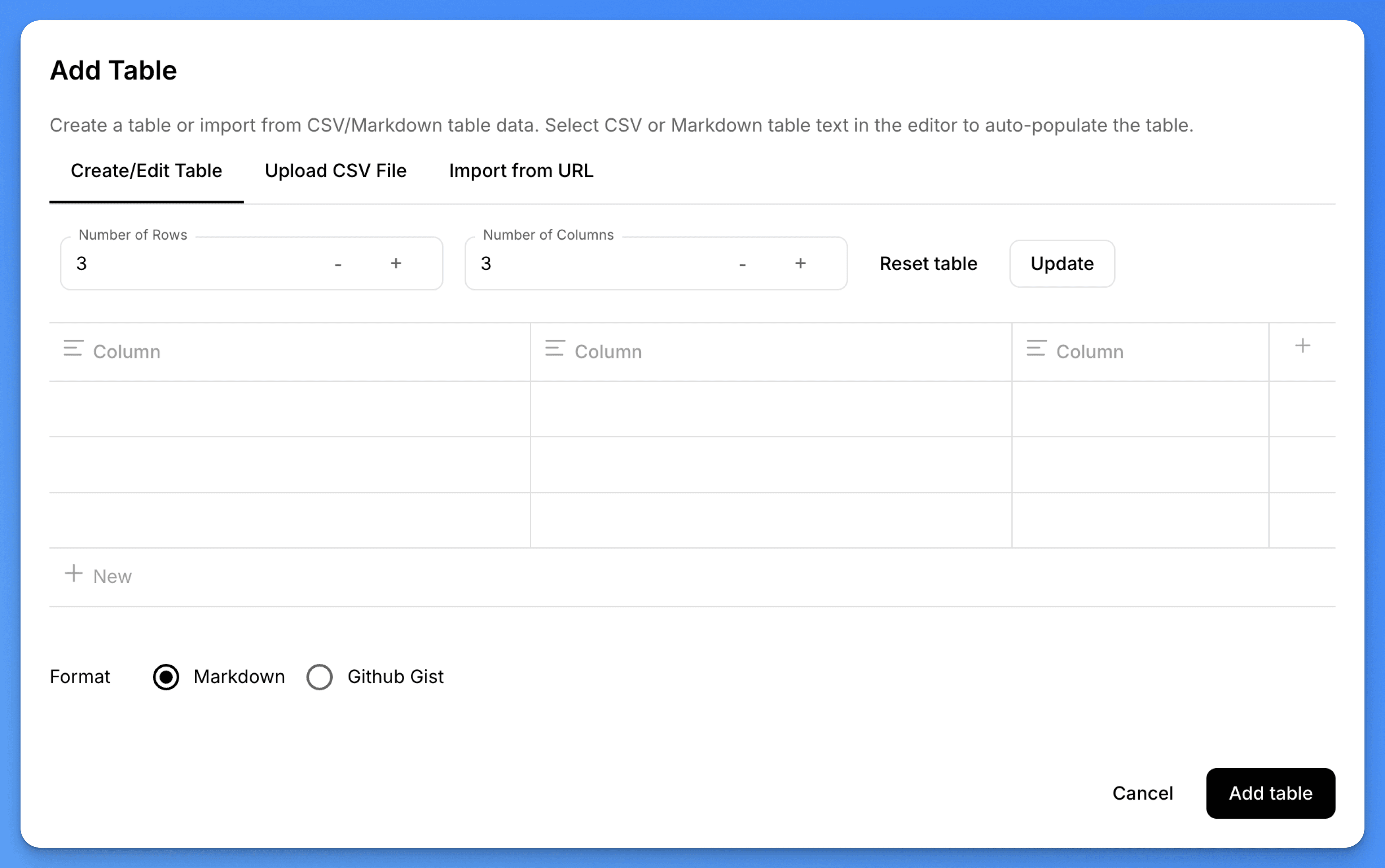
mdedit.ai provides a powerful visual table editor that makes creating and editing tables much easier than working with raw markdown syntax.
Creating Tables Visually
Instead of manually typing table syntax with pipes and hyphens, you can:
- Use the table insertion tool in the toolbar to create a new table
- Specify the number of rows and columns you need
- Fill in the content using a visual interface
Editing Existing Tables
When you select an existing table in your markdown document:
- A context menu appears with table editing options
- Add or remove rows and columns with a click
- Adjust column alignment visually
- Reorder rows by dragging
- Access the visual editor via the three-dots menu
The visual table editor handles all the markdown syntax for you, ensuring proper formatting and alignment. This is especially helpful for large tables or when you need to frequently update table data.